


Prices
Monthly, quarterly, yearly, joining fee. And whether there’s a minimum contract: it’s what puts people off most and what gets hidden most.
Memberships, group class timetables and facilities. A website that shows the place, publishes your prices and takes sign-ups without going through reception.
Free until your first customer or 6 months · No card · No commitment · Live in minutes
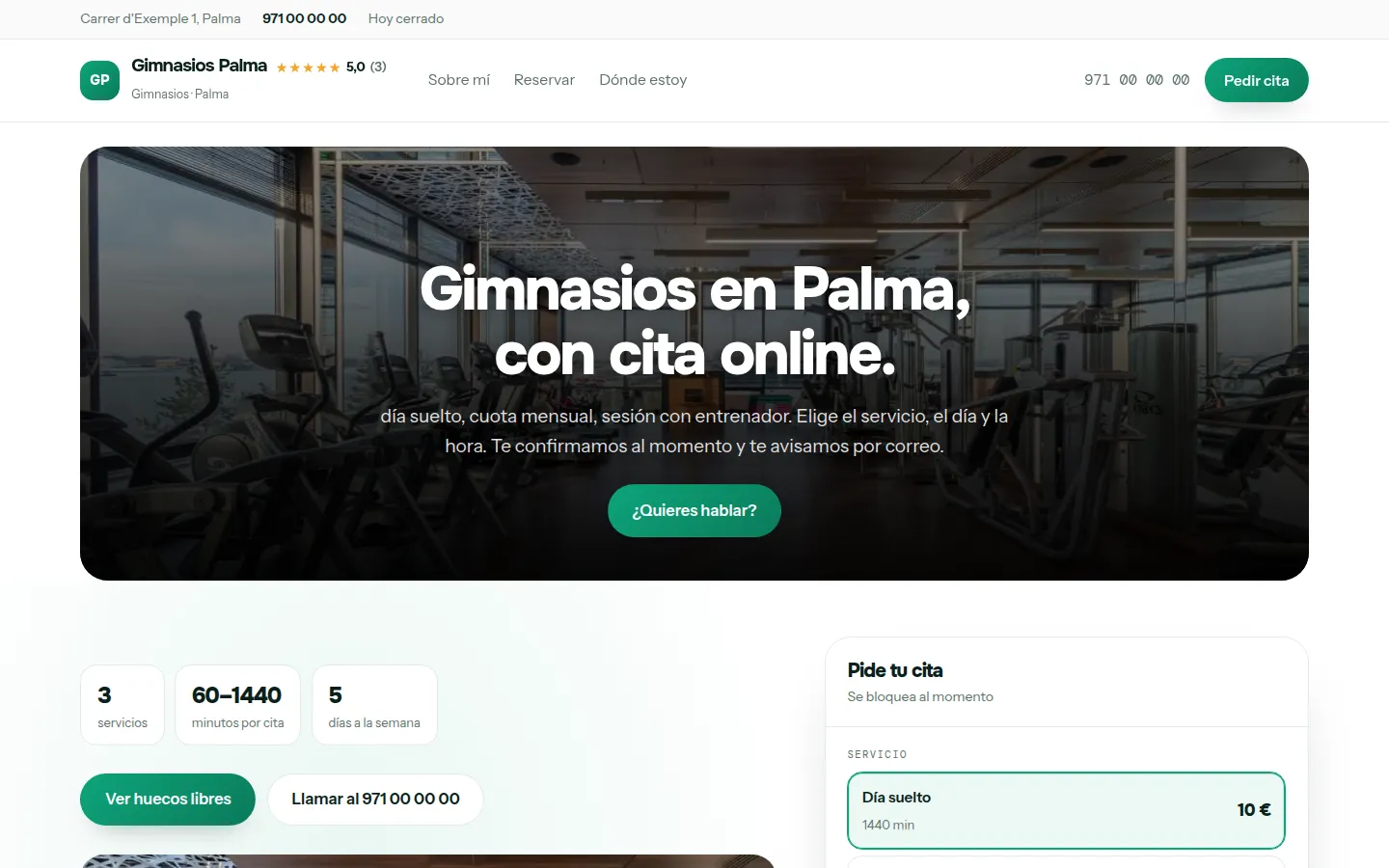
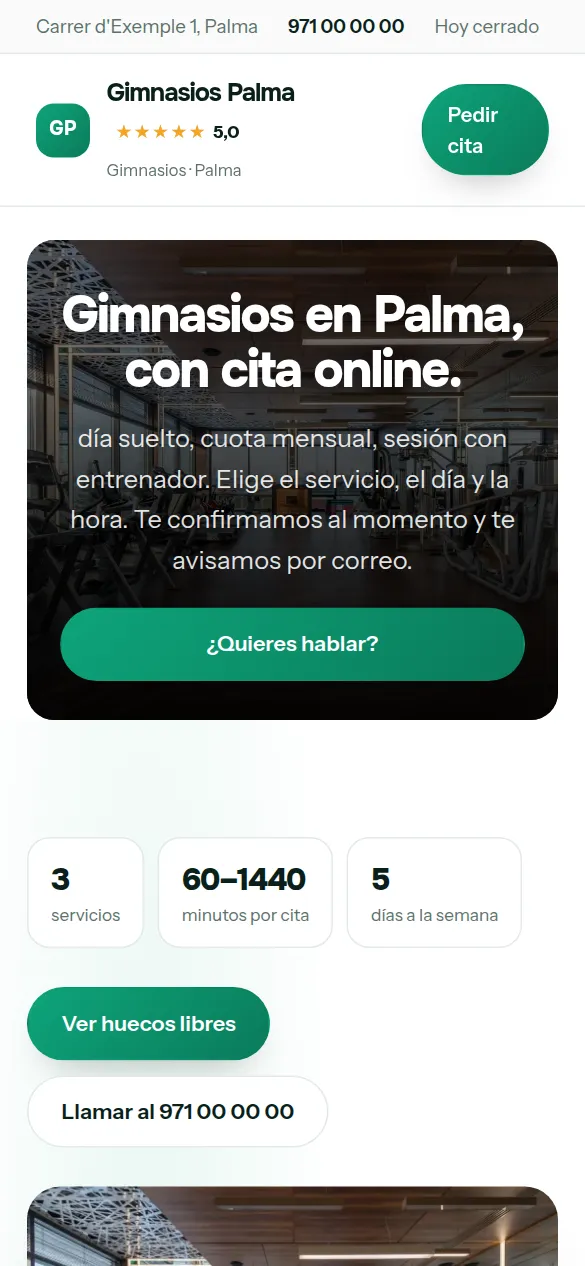
These are not drawings: it is the sample website for gyms, live right now, and you can switch design with one click without losing anything you have written.
Some look for it as an online booking calendar for gyms, some type “create a website with online bookings” and some search for “appointment software”: here it is the same thing.
There are no reviews from gyms on Agendra yet: have a look at other customers’ websites.
You pick gyms from the list, your website’s name and your phone number, and the website is created with what a business like yours offers (day pass, monthly membership and session with a trainer), which you replace with your own from the dashboard.
Thirty-six designs and your colour, with your gym website alongside while you choose. When you finish, it is already live.
People looking for a gym compare three things: how much it costs a month, whether there’s a minimum contract and which classes run at the time they can go.
Monthly, quarterly, yearly, joining fee. And whether there’s a minimum contract: it’s what puts people off most and what gets hidden most.
The full timetable. It’s the most visited page on any gym website.
Gym floor, free weights, cardio, changing rooms, pool. With real photos, not stock images.
With a price per session or per pack. It’s the service with the best margin.
Weekends and bank holidays included. For shift workers it matters more than the price.
Free or paid. It’s the way in, and it should be bookable online.
If classes have limited places, let people book them from their phone. It saves calls and fills the places.
This is the dashboard of your gym website, with a full calendar.

People looking for a gym want two things: how much it costs and whether there’s a class at a time they can make. Everything else is decoration.
Monthly, quarterly, joining fee. No “ask at reception”.
With the time, the level and the studio.
Including weekends and bank holidays, which is what changes most.
Machines, changing rooms, class studio. People decide with their eyes.
Bookable one-to-one sessions, which is what leaves the best margin.
For tourists and for anyone who wants to try.
A local gym competes with chains that have their own app. You don’t need the app: you need people to be able to take out a membership and book a class without going through reception.
The time of every class on the website, with its places: each member books theirs seeing how many are left, and once it’s full it’s no longer offered. No more sheet pinned to the wall.
The monthly membership explained and available from the website, with what it includes, and no minimum contract if there isn’t one.
One-to-one sessions inside the gym, with their own diary and price. It’s the income that raises the average spend most.
Many sign-ups start with a visit or a trial class. If booking it means phoning during reception hours, it stays as “I’ll go some day”; if it’s done from the phone while looking at your website, they come that same week.
People looking for a gym compare membership price, timetable and whether there’s a trial class. Make all three clear and the trial bookable: that’s what turns someone browsing into someone signing up.
The one-hour session with a trainer, with its price and its free slots. The member books it from their phone and it appears in the dashboard diary without going through reception.
The day before, a reminder by email and WhatsApp with a button to confirm or cancel. Anyone who isn’t coming frees up the slot, and on each booking you see who has confirmed.
Nobody types “website” when they need gyms: they search for what they need, with their own words. These are the ones that bring work to a website like yours.
Your members choose a service, a day and a time, and the slot is blocked in your calendar automatically.
Your website live at gimnasios.agendra.digital, with your services, your opening hours and your bookings, with no card, for 6 months or until your first customer.
Your gym website with your own domain, on Google, with Agendra AI and marketing every week. Everything included and no commitment.
If you are torn between this, a custom-built gym website or sticking to social media: what each option costs and what it gives you.
Yes, and you should. It’s the first thing people search for, and “ask for price” sends the visitor off to the next gym’s website.
Yes. Each group class has its places and its fixed times in the week, and members book theirs from the website seeing how many are left. One-to-one sessions, like personal training, go in the same diary as normal appointments.
Yes, for group classes too. Each class has its places and its fixed times in the week (spinning on Tuesdays and Thursdays at 19:00, with twenty bikes), and each member books theirs from the website seeing how many are left. When it’s full, it’s no longer offered. The trial class, the visit or the session with a trainer are booked like a normal appointment, in the free slots of your timetable.
Yes, with their price, what each one includes and how to cancel, which is what people ask most. The membership isn’t charged through the website: it’s explained there, and the sign-up is completed at the gym or by whatever payment method you already use.
Yes, as a product with its price. It’s easy income in tourist areas.
Yes, with the appointment calendar: each trainer can be a service with its own price and length.
Yes. With the Studio plan you can have one website per site, each with its own address, opening hours and memberships.
Yes, it’s not one or the other. Pass apps bring people who are trying out different places, on the app’s terms. Your website is where people who have already chosen you book: with your timetable and your prices, for a fixed monthly fee and without paying per class. The more people come through your website, the less you depend on the app.
Google Maps runs on your Google Business Profile, which you set up yourself, for free, and where you add your website. If you work without premises, you can hide your address on that profile and mark the areas you cover; if you only work remotely or only sell online, Google doesn’t allow a listing on the map, and what brings you customers is the website itself. The website includes your opening hours and services in the format Google reads, and it shows up on Google on the Trial plan too. With the Professional plan we register it in Search Console and a page comes out for each town where you work. Nobody can guarantee you a position: if someone promises you one, be wary.
Memberships, group class timetables and facilities. A website that shows the place, publishes your prices and takes sign-ups without going through reception.
Free until your first customer or 6 months · No card · No commitment · Live in minutes