


Your specialities
One line for each, with what’s treated there. It’s what gets you found for “physiotherapy” and “nutrition” and not just for the clinic’s name.
Several specialities, several professionals and a phone that never stops. Publish your services and opening hours, and let patients book on their own.
Free until your first customer or 6 months · No card · No commitment · Live in minutes
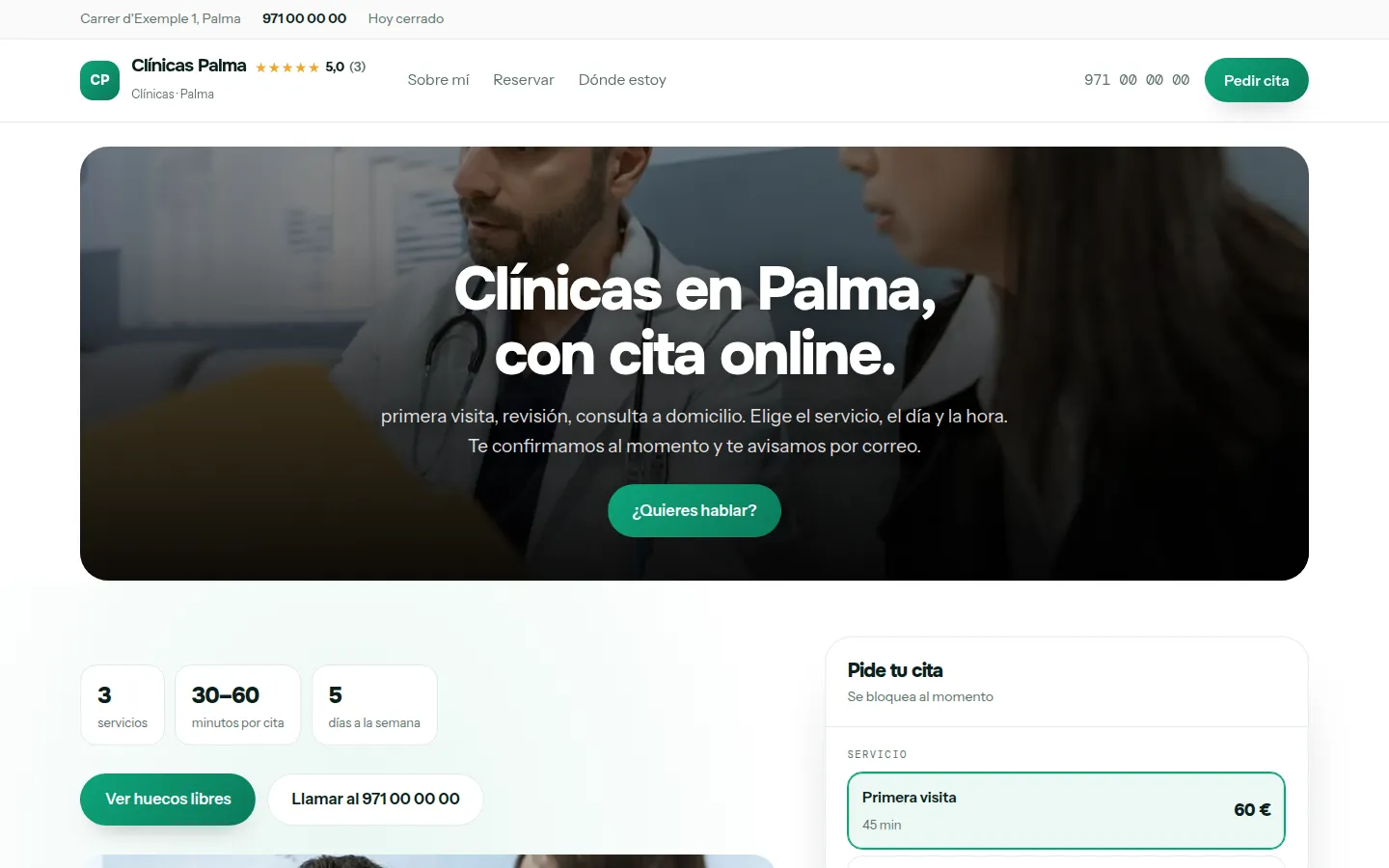
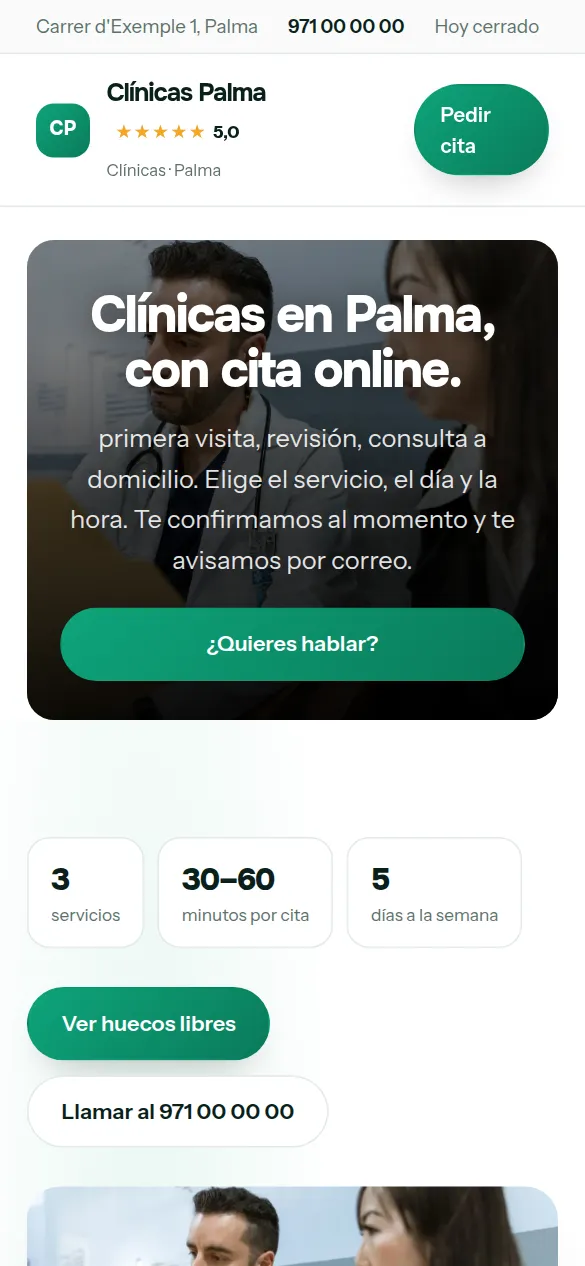
These are not drawings: it is the sample website for clinics, live right now, and you can switch design with one click without losing anything you have written.
Some look for it as an online booking calendar for clinics, some type “create a website with online bookings” and some search for “appointment software”: here it is the same thing.
It works just the same if your business is called medical centre, medical clinic or polyclinic: it is the same software and the same website.
There are no reviews from clinics on Agendra yet: have a look at other customers’ websites.
You pick clinics from the list, your website’s name and your phone number, and the website is created with what a business like yours offers (first visit, check-up and home visit), which you replace with your own from the dashboard.
Thirty-six designs and your colour, with your clinic website alongside while you choose. When you finish, it is already live.
A clinic isn’t just a bigger practice: it’s several diaries, several specialities and a patient who doesn’t know who to book with. The website has to solve that on the first screen.
One line for each, with what’s treated there. It’s what gets you found for “physiotherapy” and “nutrition” and not just for the clinic’s name.
Name, photo, qualifications and registration number for each professional. In a healthcare centre, faces are half the trust.
Each with their own hours and services, so patients choose who with and when without calling reception.
What you do and what it costs. If you work with insurers, which ones: it’s a question that takes up half the switchboard’s time.
Real photos of the waiting room, the treatment rooms and the equipment. In a clinic, showing the place is worth more than describing it.
Map, public transport and parking. And your real opening hours, including the afternoons you’re closed.
This is the dashboard of your clinic website, with a full calendar.

In a clinic, specialities with very different lengths and prices sit side by side. The website has to organise them without looking like a hospital catalogue.
Physiotherapy, nutrition, psychology or podiatry, each with its own description, time and fee.
Clear opening hours, with the lunchtime closure and public holidays marked.
Address, phone and how to get there. The search “clinic near me” is settled on a phone.
Who works there and with what qualifications. It’s what people look at most before booking.
If your region requires it, showing it is an obligation and a selling point too.
Lots of patients search directly by their insurer.
If you open a new line under its own brand, it can have its own website and address.
The Studio and Agency plans manage several websites from the same dashboard.
Every booking goes to the address you choose, not to someone’s personal inbox.
Management software for a private clinic has a problem that a one-person practice doesn’t: four professionals, four timetables and a reception that answers the phone while dealing with whoever is in front of them.
Each service with its own length and price, and patients choosing exactly what they need instead of explaining it to reception.
The morning physio and the afternoon psychologist don’t share slots. The calendar understands that and doesn’t offer what doesn’t exist.
The home page competes for “clinic in your city”; each separate page competes for its treatment, which is how people really search.
In a clinic, reception answers the phone while dealing with whoever is in front of them, and many of those calls are to book, change or cancel an appointment. All of that can be done from the website without anyone picking up.
People who need a specialist search for the speciality, not the centre’s name. A page for each one, with its professionals, its guide prices and the insurers you work with, and booking from there.
First visit, check-up or home visit: each service with its own length, and patients choose what they need instead of explaining it to reception.
The day before, a reminder goes out with a button to confirm, change or cancel, and each appointment shows who has replied. You call the ones who haven’t, not everyone.
Nobody types “website” when they need clinics: they type the problem, the price or the town. These are the searches your website has to answer.
Your patients choose first visit or check-up, a day and a time, and the slot is blocked in your calendar automatically.
Your website live at clinicas.agendra.digital, with your services, your opening hours and your bookings, with no card, for 6 months or until your first customer.
Your clinic website with your own domain, on Google, with Agendra AI and marketing every week. Everything included and no commitment.
If you are torn between this, a custom-built clinic website or sticking to social media: what each option costs and what it gives you.
Each website has one diary. If each professional needs their own, the Studio plan allows up to five websites and the Agency plan up to ten, all from the same dashboard and on a single invoice.
Yes. The website automatically creates the legal notice and privacy page with your details, and you can put the healthcare registration in the header or the footer.
Yes: each speciality or type of visit is a service with its own length and price, and patients choose theirs when booking. Each website has one diary with one appointment per slot, so if several professionals see patients at the same time, each one goes on their own website; the Studio plan gives you up to five from the same dashboard.
The ones to book, change and cancel, yes: those are done from the website and from the confirmation email, at any time. The ones left are those that need to talk to someone, which are the ones reception should be dealing with.
Yes. In the dashboard you set the notification address, which can be reception’s and not anyone’s personal one.
Yes, each one is published as a service with its own length and price. If there are too many for a single page, you can create separate pages for each speciality.
Yes, from the connections tab in the dashboard, by pasting the measurement ID and the verification code.
On a directory you appear in a list next to other clinics in your area, with the platform’s design and terms. With Agendra you have your own website, with your own domain if you connect it, your diary and your patients, for a fixed monthly price and without paying per appointment. It isn’t one or the other: you can keep your directory profile and link from there to your website, where patients book directly with you. We go through it calmly in Doctoralia or Agendra.
Several specialities, several professionals and a phone that never stops. Publish your services and opening hours, and let patients book on their own.
Free until your first customer or 6 months · No card · No commitment · Live in minutes