


Your speciality
Dermatology, orthopaedics, gynaecology, gastroenterology, psychiatry. With what’s treated in each, written the way a patient searches for it.
Private consultations, second opinions or follow-ups: a sober website with your areas, your fees and a calendar where patients book a time without going through a switchboard.
Free until your first customer or 6 months · No card · No commitment · Live in minutes
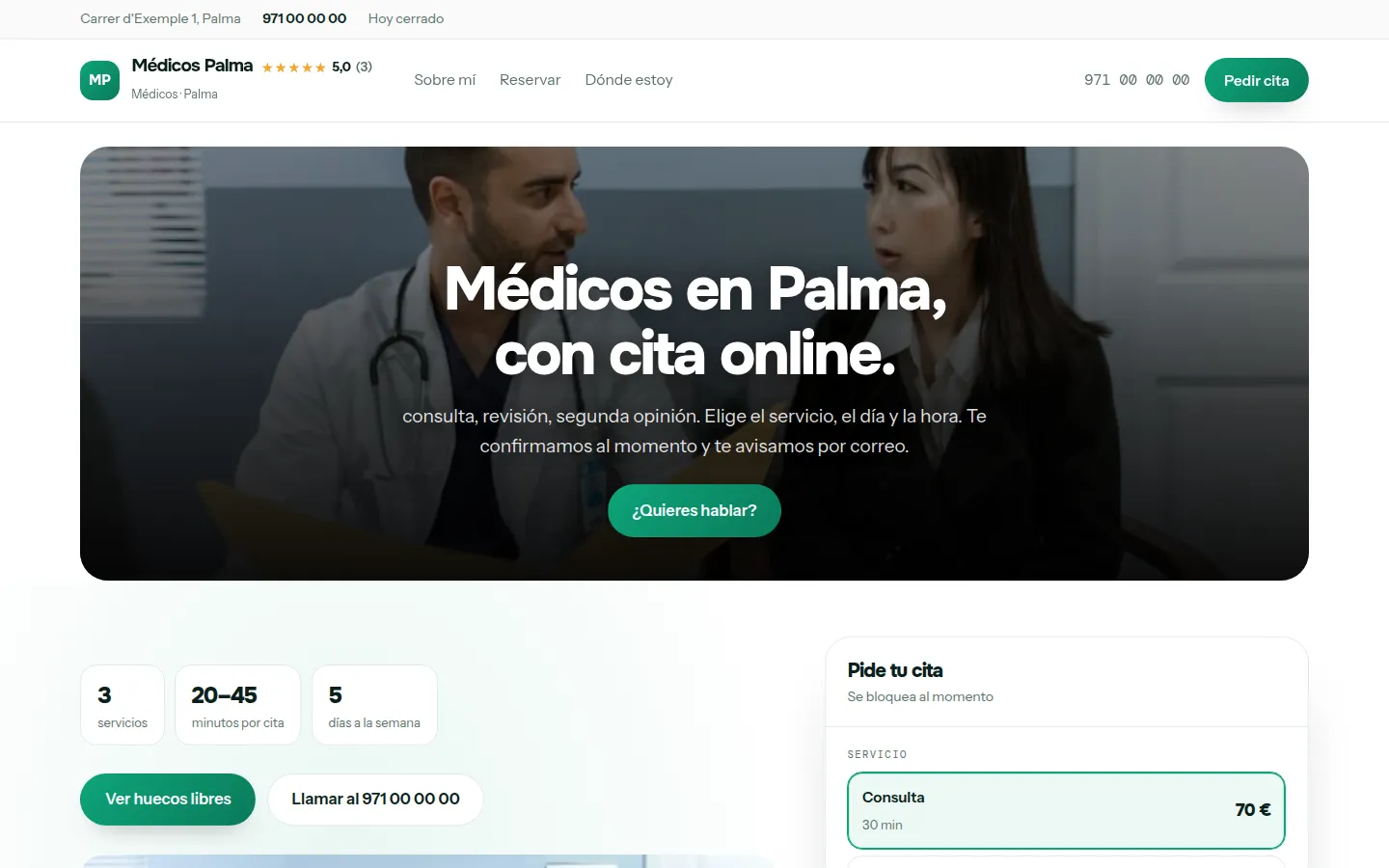
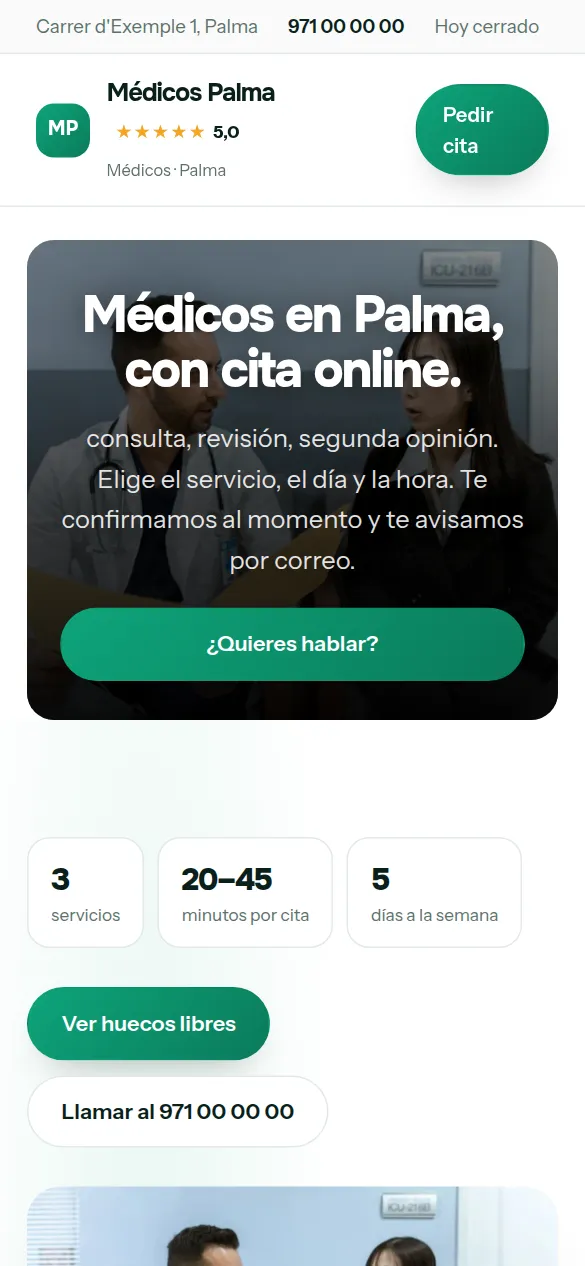
These are not drawings: it is the sample website for doctors, live right now, and you can switch design with one click without losing anything you have written.
Some look for it as an online booking calendar for doctors, some type “create a website with online bookings” and some search for “appointment software”: here it is the same thing.
It works just the same if your business is called medical practice, doctor’s surgery, private doctor, dermatologist, gynaecologist, paediatrician, orthopaedic surgeon or specialist: it is the same software and the same website.
There are no reviews from doctors on Agendra yet: have a look at other customers’ websites.
You pick doctors from the list, your website’s name and your phone number, and the website is created with what a business like yours offers (consultation, check-up and second opinion), which you replace with your own from the dashboard.
Thirty-six designs and your colour, with your medical practice website alongside while you choose. When you finish, it is already live.
In health, Google looks at who is behind the content. A private practice that doesn’t say who it is, what its doctors studied and where they work is at a disadvantage against one that does, even if it treats the same things.
Dermatology, orthopaedics, gynaecology, gastroenterology, psychiatry. With what’s treated in each, written the way a patient searches for it.
Training, the hospital where you work or have worked, years in practice and registration number. It’s what Google understands as authority and what patients understand as peace of mind.
Price and length of each. The difference between the two is the most common question before booking.
If you see patients by video call, with its price. For second opinions and follow-ups it’s what has grown most.
What you can do in the consulting room: ultrasound, injections, minor surgery, dermatoscopy. Each one is a different search.
Which insurers you work with and whether you see private patients. Half the switchboard’s time goes on this question.
This is the dashboard of your medical practice website, with a full calendar.

A patient looking for a private doctor doesn’t want animations: they want to know who you are, what you treat, what it costs and when they can come.
Which conditions you manage and which you refer on. Being clear saves consultations that aren’t yours.
Registration number, hospitals where you’ve worked and societies you belong to.
First visit, check-up, report. Each with its amount and length.
Only what you really have free is offered, and it’s blocked as soon as someone books.
So nobody books for half an hour’s time if you need to prepare the consultation.
The appointment reaches your email and your Google Calendar as soon as it’s confirmed.
The booking asks for name, phone and email. No health data goes through the form.
The database is in Ireland, inside the European Economic Area.
The website creates its privacy page with you as the data controller.
In private practice, the first visit nearly always starts on Google. Management software that isn’t also your website leaves out half the problem.
Patients choose the day and time without going through a switchboard, and get the confirmation by email with the address and how to get there.
Different lengths and prices, with slots worked out using the right length. No more squeezing check-ups into a first visit’s slot.
The form asks for name and phone. The medical history stays where it belongs: in your clinical records, not in a web form.
In private practice, the patient who finds you at ten at night isn’t going to call tomorrow at nine: they’re going to book wherever they can do it right now. Online booking is exactly that, with no switchboard and no clinical data involved.
Someone searching for “private doctor consultation without insurance price” wants to know what it costs and when there’s a slot. A guide price, the insurers you work with, your address and the booking one tap away.
A half-hour consultation, a 20-minute check-up, a 45-minute second opinion: the patient chooses and the diary doesn’t squeeze a first visit into a check-up’s slot.
A reminder the day before with a button to confirm, change or cancel. If they cancel, the slot is offered again; if they don’t reply, you see it on the appointment.
Nobody types “website” when they need doctors: they ask Google about prices, urgency and trust. Answer that, and the website does the selling.
Your patients choose consultation or check-up, a day and a time, and the slot is blocked in your calendar automatically.
Your website live at medicos.agendra.digital, with your services, your opening hours and your bookings, with no card, for 6 months or until your first customer.
Your medical practice website with your own domain, on Google, with Agendra AI and marketing every week. Everything included and no commitment.
If you are torn between this, a custom-built medical practice website or sticking to social media: what each option costs and what it gives you.
It’s not advisable and the website doesn’t ask for it. Health data is special-category data under GDPR and requires extra safeguards; the reason for the visit is discussed at the appointment.
There’s one diary per website. If you work in two places with different hours, the cleanest option is one website per practice, which the Studio plan covers.
Yes. Patients choose the type of visit, day and time; you see the diary in the dashboard and on your phone, and note down in it the appointments you give by phone. The booking asks for name and contact details, nothing more: the medical history stays in your records software, not on the website.
Yes. You decide the minimum notice: with two hours, people can book for that same afternoon. And if you’d rather keep a slot back, you close it in the online diary and give it out yourself by phone.
You can show the amount and the deposit on the service so the patient knows, and request it from the appointment itself by Bizum (Spain’s instant bank-to-bank mobile payment) or bank transfer with one tap. If you connect your Stripe account, they can also pay by card when booking.
Yes, with the blog. It’s what works best for a private doctor: a well-written article about a specific condition brings in patients who were looking for information.
The tool gives you the platform; the content is yours. Avoid promising results and follow the healthcare advertising rules of your region.
On a directory you appear in a list next to other doctors in your area, with the platform’s design and terms. With Agendra you have your own website, with your own domain if you connect it, your diary and your patients, for a fixed monthly price and without paying per appointment. It isn’t one or the other: you can keep your directory profile and link from there to your website, where patients book directly with you. We go through it calmly in Doctoralia or Agendra.
Google Maps is fed by your Google Business Profile, which you set up yourself, for free, and where you add your website. If you work without premises, on that profile you can hide your address and mark the areas you cover; if you work only remotely or sell only online, Google doesn’t allow a map listing and what brings you clients is the website itself. The website carries your opening hours and services in the format Google reads, and it appears on Google on the free plan too. With the Professional plan we register it in Search Console and you get a page for each town where you work. Nobody can guarantee you a ranking: if someone promises you one, be wary.
Private consultations, second opinions or follow-ups: a sober website with your areas, your fees and a calendar where patients book a time without going through a switchboard.
Free until your first customer or 6 months · No card · No commitment · Live in minutes