


Dashboards
Power BI, Looker Studio or Excel. What data they connect to, how often they update and who can see them.
Dashboards, reports that arrive on their own and data you can trust. Explain it with cases a manager understands and let the first video call book itself.
Free until your first customer or 6 months · No card · No commitment · Live in minutes
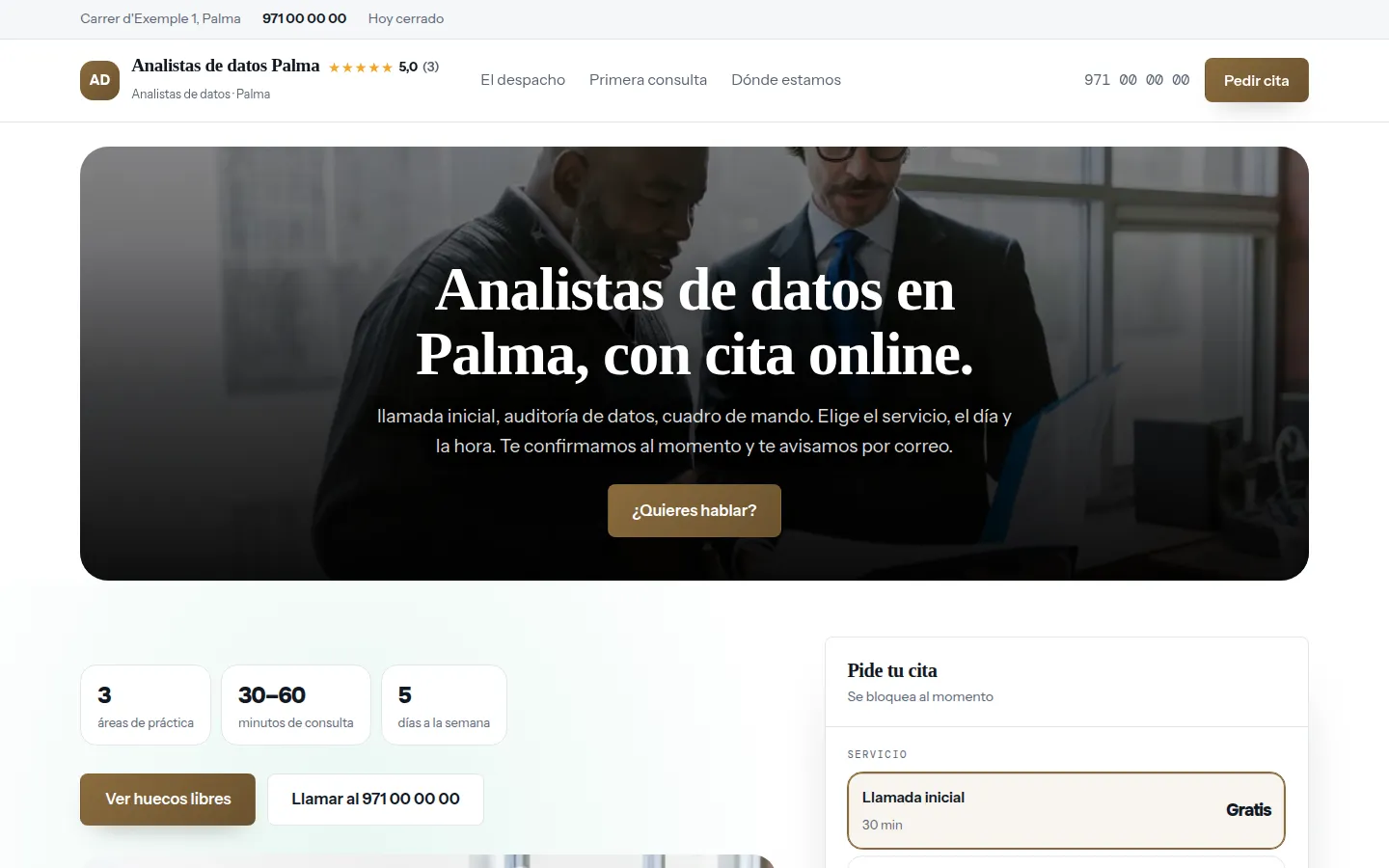
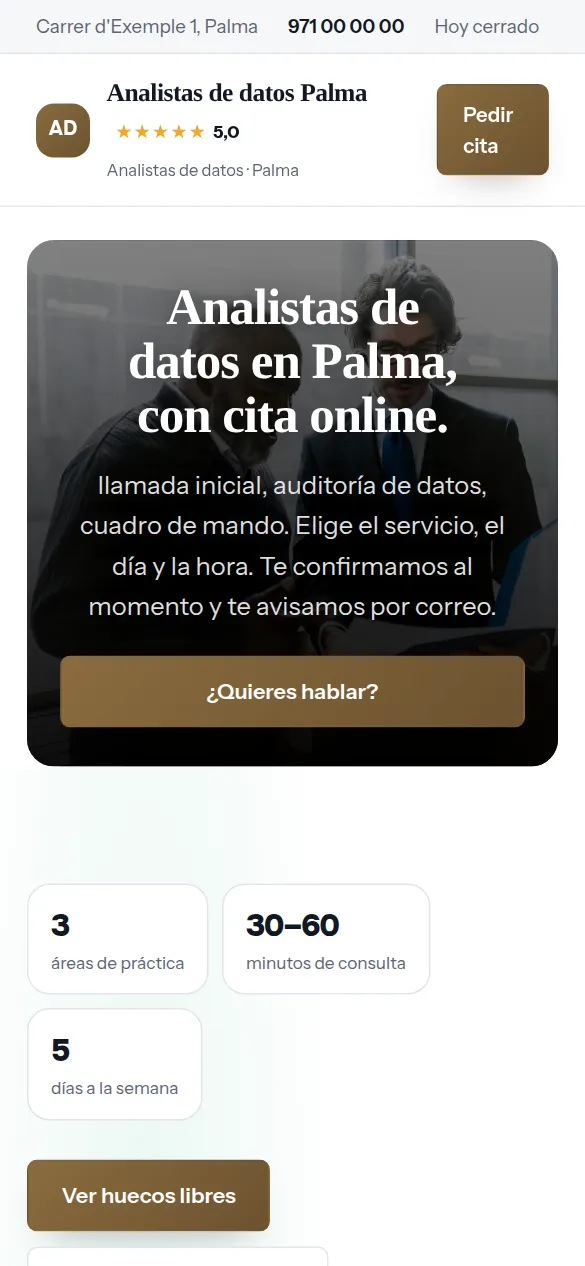
You pick data analysts from the list, your website’s name and your phone number, and the website is created with what a business like yours offers (first call, data audit and dashboard), which you replace with your own from the dashboard.
Thirty-six designs and your colour, with your data analyst website alongside while you choose. When you finish, it is already live.
There are no reviews from data analysts on Agendra yet: have a look at other customers’ websites.
People who hire data analysis hardly ever know what the thing they need is called: they know it takes too long to get a number out, or that they don’t trust the one they get. Name what you do in their words.
Power BI, Looker Studio or Excel. What data they connect to, how often they update and who can see them.
Bringing the management software, the online shop and the stray spreadsheets together in one place you can trust. It’s what’s needed most and asked for by name least.
The Monday report or the month-end one, automated. Understood straight away, because everyone has made one by hand.
Demand, purchasing or cash flow. With what data and with what margin of error, said before starting.
A snapshot of what data there is and what state it’s in. A small first job at a fixed price, which is how people start with someone new.
Teaching people to use the dashboard or pull their own reports. Often it’s what keeps the project alive once you’ve finished.
Who has access, where it’s stored and whether you sign a confidentiality agreement. A small business is going to open up its sales and margins to you: say it before they ask.
Nobody types “website” when they need data analysts: they ask Google about prices, urgency and trust. Answer that, and the website does the selling.
Whoever needs first call or data audit calls you, messages you on WhatsApp or asks through a form that asks what is needed and where.
Whoever’s looking for you doesn’t want “Power BI”: they want to know how much they sold last month without spending the morning cross-checking spreadsheets. Your website has to talk about that lost morning, not about technologies.
Sales, margins, receivables or stock on a screen that updates itself. In Power BI, Looker Studio or Excel, depending on what the client already uses.
The management software, the online shop and three spreadsheets that don’t agree with each other. It’s half the work and the part the client doesn’t see: talk about it.
The Monday sales report or the month-end close, set up once, with nobody having to copy and paste every week.
Demand, purchasing or cash flow for the coming months, saying what can be forecast and what can’t. Anyone who promises to be right to the penny has never made a forecast.
Your client is the manager of a distributor or the owner of three shops, not another analyst. A case convinces them when they recognise themselves in the problem, not when they see a pretty chart.
“Month-end takes us days” is something anyone understands. “Integration of heterogeneous sources” isn’t read by anyone who’s going to pay you.
Where the data came from, what tool you used and how long it took. The technical part goes at the end, for whoever wants to read it.
A decision taken with the data, a report that’s no longer done by hand. With figures only if the client lets you share them.
Screenshots with sample data or with the numbers changed. Showing a client’s real dashboard is showing their sales.
Almost all of this work is sold and done remotely. What goes cold most is the step between “I’m interested” and the first conversation, and that’s where clients get lost.
Thirty minutes at €0, with your free slots. Whoever visits picks one and gets the confirmation with your Meet, Zoom or Teams link.
Where their data comes from, what reports they do today and what question they want answered. Written in the service, the first call is already useful.
A fixed analysis of what data there is and what state it’s in, with its price. It’s the least scary way to start for someone who has never hired this before.
People who prefer to explain it calmly have, as well as the calendar, a contact form with subject and message.
You already have your working tools: Power BI, SQL or a well-built spreadsheet. What’s almost always missing is what comes before: being found, people understanding what you do and the first meeting being booked without five emails back and forth.
Your free slots published and the booking made from the website, with your video call link in the confirmation and in the reminder.
The audit with its fixed price and projects marked “On request”. Nobody thinks a dashboard is free, and nobody gets scared off before talking to you.
Each booking keeps the details of whoever made it, and you can download them as a CSV whenever you like. It’s not a CRM, and to get started it doesn’t need to be.
A manager decides they need help with their data between two meetings, and writing to a stranger to arrange a call feels like a chore. If at that moment they can pick a slot with online appointments, with the video call already included, the conversation is yours.
Someone searching “Power BI consultant for small business” or “how much does a dashboard cost” already knows they have a problem. If your website answers it —what you do, with what tools, how to get started— and the call can be booked right there, they stop looking.
Your Meet, Zoom or Teams link is set once and goes automatically in the confirmation, in the alert you receive and in the reminder. Nobody asks five minutes beforehand where you’re meeting.
The day before, a reminder goes out by email and WhatsApp with a button to confirm, change or cancel, and minimum notice stops people booking you for an hour from now while you’re with another client.
These are not drawings: it is the sample website for data analysts, live right now, and you can switch design with one click without losing anything you have written.
Some look for it as management software for data analysts, others as a services website and others as online quotes: here it is the same thing.
It works just the same if your business is called data analyst, data consultant, data analysis, business intelligence or Power BI consultant: it is the same software and the same website.
Your website live at analistas-de-datos.agendra.digital, with your services, your opening hours and your contact form, with no card, for 6 months or until your first customer.
Your data analyst website with your own domain, on Google, with Agendra AI and marketing every week. Everything included and no commitment.
If you are torn between this, a custom-built data analyst website or sticking to social media: what each option costs and what it gives you.
Both routes end up in the same place: someone searching for your name before writing to you. That person is already interested, and what they find decides whether they write or leave it for another day. A website with what you do, your case studies and the first call one click away turns that search into a meeting; a profile with nothing behind it turns it into nothing.
Yes, and that’s how it should be done: with sample data, with the numbers changed or with the client’s written permission. You upload the images for the website and the blog yourself, so you decide what’s seen. A screenshot with a company’s name and its real sales is a confidentiality problem, and anyone reading you as a potential client notices.
For meetings, yes: first call, audit review or team training session, each with its length and, if you like, its price. It doesn’t manage projects or store your clients’ data, nor does it try to: it makes sure people find you and book the first conversation without emailing back and forth.
With the reminder the day before, which lets people confirm, change or cancel in one click, and by seeing on each appointment whether they’ve replied. If they cancel, the slot is offered again automatically. And if the session is paid —a training session, a long review—, you can ask for the amount by Bizum (Spain’s instant bank-to-bank mobile payment) or bank transfer from the appointment itself. If you connect your Stripe account, it can also be charged by card when booking.
With a fixed-price first step —the first call at no cost and a data audit with its price— and the rest marked “On request”. In the dashboard, any service can go without a published price and it shows that way on the website, not as free. If you work by the day or with a bank of hours, say so: a “from” filters out people hoping to get a spreadsheet fixed for next to nothing.
Yes. The address is left blank and the website works the same. In Connections › Video call you set your Google Meet, Zoom or Teams link once and it goes automatically in each appointment’s confirmation, in the reminder the day before and in your calendar. Google Maps, on the other hand, is for businesses that serve people in person: what brings you clients is the website, your services well explained and your articles. It shows up on Google on the Trial plan too; your own domain comes with the Professional plan.
Yes, and it’s worth it. “Power BI consultant”, “dashboard for restaurants” or “data analysis for online shops” are different searches, and each one calls for its own page. You create them from the dashboard, each with its own address. What isn’t worth doing is repeating the same page with one word changed: only write the ones you can fill with something of your own.
What they ask you on the first call: why the sales in the management software don’t match the bank’s, what changes between a shared Excel file and a dashboard, when Power BI is worth it and when Looker Studio is enough. An article that answers a real question brings in the people who have it; one about DAX’s latest function brings in other analysts.
Dashboards, reports that arrive on their own and data you can trust. Explain it with cases a manager understands and let the first video call book itself.
Free until your first customer or 6 months · No card · No commitment · Live in minutes