


Structural osteopathy
What most people come looking for: back, neck, shoulder. Explain what you do in the session and how long it lasts.
One-hour sessions, patients who come back every few weeks and a phone that rings while your hands are busy. The diary takes care of itself.
Free until your first customer or 6 months · No card · No commitment · Live in minutes
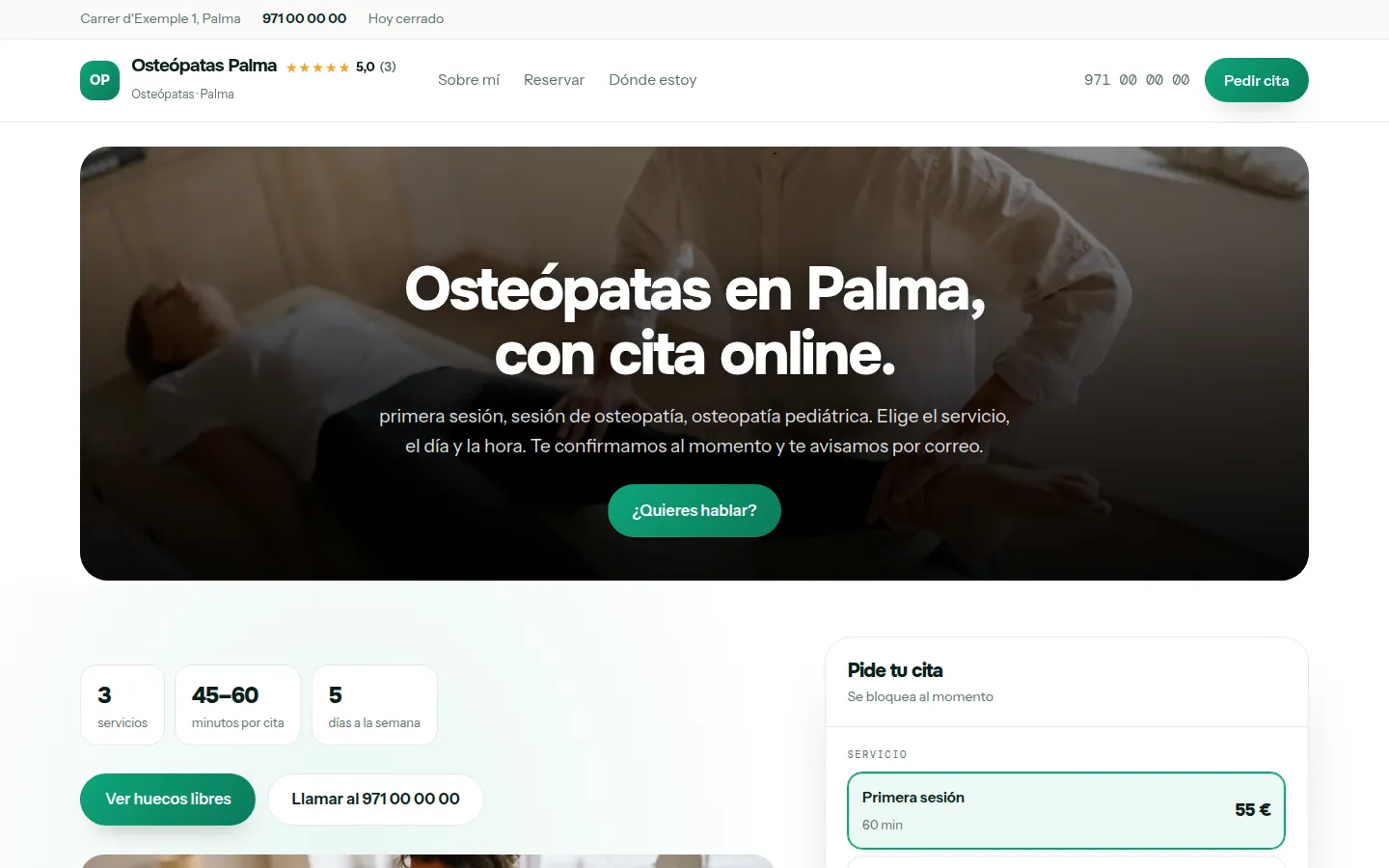
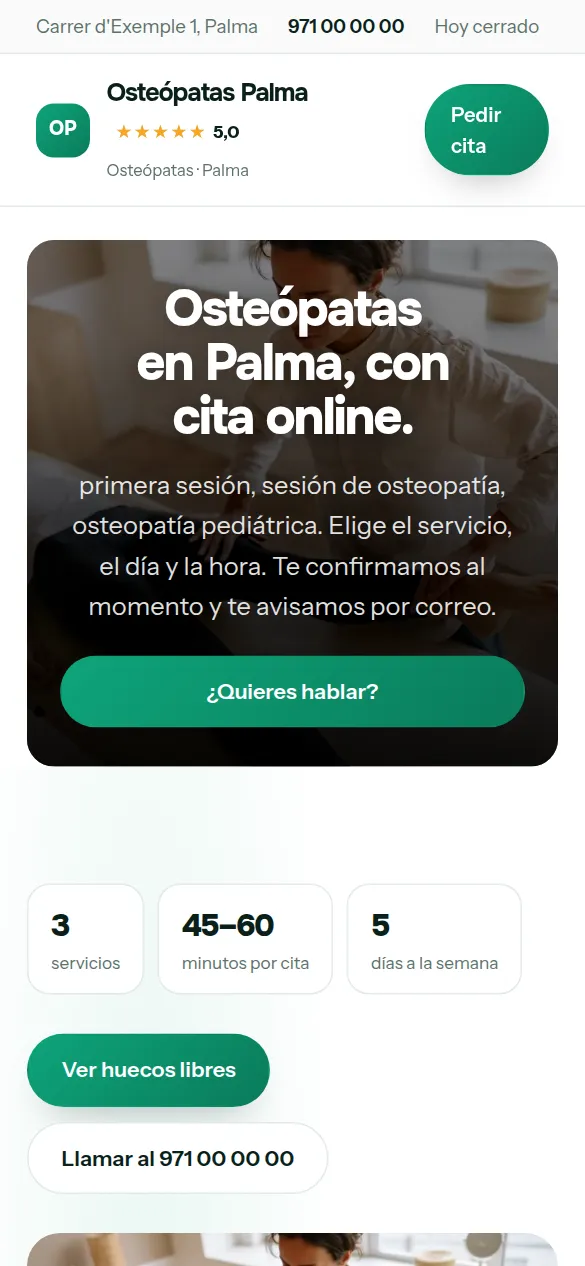
These are not drawings: it is the sample website for osteopaths, live right now, and you can switch design with one click without losing anything you have written.
Some look for it as an online booking calendar for osteopaths, some type “create a website with online bookings” and some search for “appointment software”: here it is the same thing.
It works just the same if your business is called chiropractor, chiropractic or osteopathy: it is the same software and the same website.
There are no reviews from osteopaths on Agendra yet: have a look at other customers’ websites.
You pick osteopaths from the list, your website’s name and your phone number, and the website is created with what a business like yours offers (first session, osteopathy session and paediatric osteopathy), which you replace with your own from the dashboard.
Thirty-six designs and your colour, with your osteopathy website alongside while you choose. When you finish, it is already live.
Osteopathy is almost always badly explained. People who land on your website don’t know the difference between structural, visceral and cranial, and that explanation —short and without mysticism— is what makes them book.
What most people come looking for: back, neck, shoulder. Explain what you do in the session and how long it lasts.
Digestion, reflux, abdominal pain with a mechanical cause. People search for it specifically and hardly anyone works on it.
Headaches, teeth grinding, dizziness. And in babies: colic, torticollis, difficulty feeding, which is a whole audience on its own.
Before and after competing, recovery and prevention. If you work with a club, say so.
How long each one lasts, what’s done and how many sessions are usually needed. The real question is “how many times do I have to come?”.
Which school, how many years and whether you’re on a professional register. In a field without compulsory registration, this is where all the trust comes from.
This is the dashboard of your osteopathy website, with a full calendar.

Osteopathy is an hour of hands-on work followed by another. Every call you can’t take is a session that goes somewhere else.
Patients see your real free slots and book without interrupting you.
The length is set per service, so the slots come out the right size.
The patient gets an email with the date, time and address. You get the notification and the appointment in your calendar.
Being clear about the scope filters out impossible enquiries and saves you first visits that lead nowhere.
Years of study, school and professional registration if you have it. In an unregulated field, this counts for a lot.
If you have a speciality, give it its own section and its own service.
Osteopathy is hard to explain on the phone and easy to sell in writing. Practice management software that is also your website solves both at once.
A long first session, a short follow-up, a paediatric session with the family. Each with its own length and price.
Ten minutes to note down progress and air the room before the next one. You set it once and the calendar won’t let you book them back to back.
People who want to talk first send a message; people who know what they want book. Both land in the same diary and in your phone calendar.
Lots of people don’t know how an osteopath differs from a physiotherapist, and they look it up before booking. A good osteopathy website explains it without jargon and lets them book in the same place.
Back pain, headaches, pregnancy or paediatrics: a page for each, with what happens in the session.
Thirty-six looks, your colour and your photos. Patients see a serious site, not a stray profile in a directory.
First session and follow-up, each with its own length, and a notification of every appointment straight away.
If part of your day goes on answering messages to give out times, the problem isn’t WhatsApp: it’s that your patients have nowhere to see your free slots. With booking on your website they can see them, choose, and the appointment goes into your diary on its own, with the length of each service —a one-hour first session and a 45-minute osteopathy session.
Your website answers what your patients type before choosing —“difference between osteopath and physiotherapist”, for example— and booking is one tap away. The day after each appointment, an email asks for their review, which is what matters most to the next person.
Appointments your patients ask for by phone go into the same diary and the ones from the website go in on their own: a single list, on your phone, and no slot given out twice.
A reminder the day before with a button to confirm or cancel, minimum notice for booking and, for the longest appointments —the first session, for example— a deposit you request by Bizum (Spain’s instant bank-to-bank mobile payment) or bank transfer from the booking itself.
Nobody types “website” when they need osteopaths: they ask Google about prices, urgency and trust. Answer that, and the website does the selling.
Your patients choose first session or osteopathy session, a day and a time, and the slot is blocked in your calendar automatically.
Your website live at osteopatas.agendra.digital, with your services, your opening hours and your bookings, with no card, for 6 months or until your first customer.
Your osteopathy website with your own domain, on Google, with Agendra AI and marketing every week. Everything included and no commitment.
If you are torn between this, a custom-built osteopathy website or sticking to social media: what each option costs and what it gives you.
The calendar already blocks a slot as soon as it’s booked. You can also add one-off closures for training, conferences or holidays.
With minimum notice. If you set it to 24 hours, nobody can book for a little while from now and you plan your day in good time.
Yes. Your patients choose the service, day and time on your website, and the booking goes into your diary with its length —a one-hour first session and a 45-minute osteopathy session. You see it in the dashboard and on your phone, you note down there the appointments you get by phone and, on every plan, you also have it in Google Calendar. It doesn’t do invoicing or accounts: it’s the diary and the website.
Yes, but it’s best to keep them separate: there’s one set of opening hours per website. If they’re two different brands, the Studio plan lets you have up to five websites with separate dashboards.
Yes, from the link in their confirmation email. The slot is free again instantly and you get a notification.
Each service has its price and its description, so the price comes with what the session includes and how long it lasts.
On a directory you appear in a list next to other osteopaths in your area, with the platform’s design and terms. With Agendra you have your own website, with your own domain if you connect it, your diary and your patients, for a fixed monthly price and without paying per appointment. It isn’t one or the other: you can keep your directory profile and link from there to your website, where patients book directly with you. We go through it calmly in Doctoralia or Agendra.
Yes. There’s no automatic connection with insurers, but you can say on your website which ones you work with —Sanitas, Adeslas, DKV, Asisa…— and add the question “Are you coming through your insurance? Which one?” to the booking form so you know before the appointment.
Yes. From the dashboard you switch on a WhatsApp button with your number, which appears on every page of your website, and the message reaches you already started, saying they’re writing from your website. You can switch it off whenever you like.
One-hour sessions, patients who come back every few weeks and a phone that rings while your hands are busy. The diary takes care of itself.
Free until your first customer or 6 months · No card · No commitment · Live in minutes