


The breakfast menu
Coffees, toast, pastries, juices and brunch, each with its price and allergens.
The breakfast menu with its prices and allergens, your real opening hours and a table that can be booked for Saturday brunch. What people look at when they’re deciding where to get coffee before leaving home.
Free until your first customer or 6 months · No card · No commitment · Live in minutes
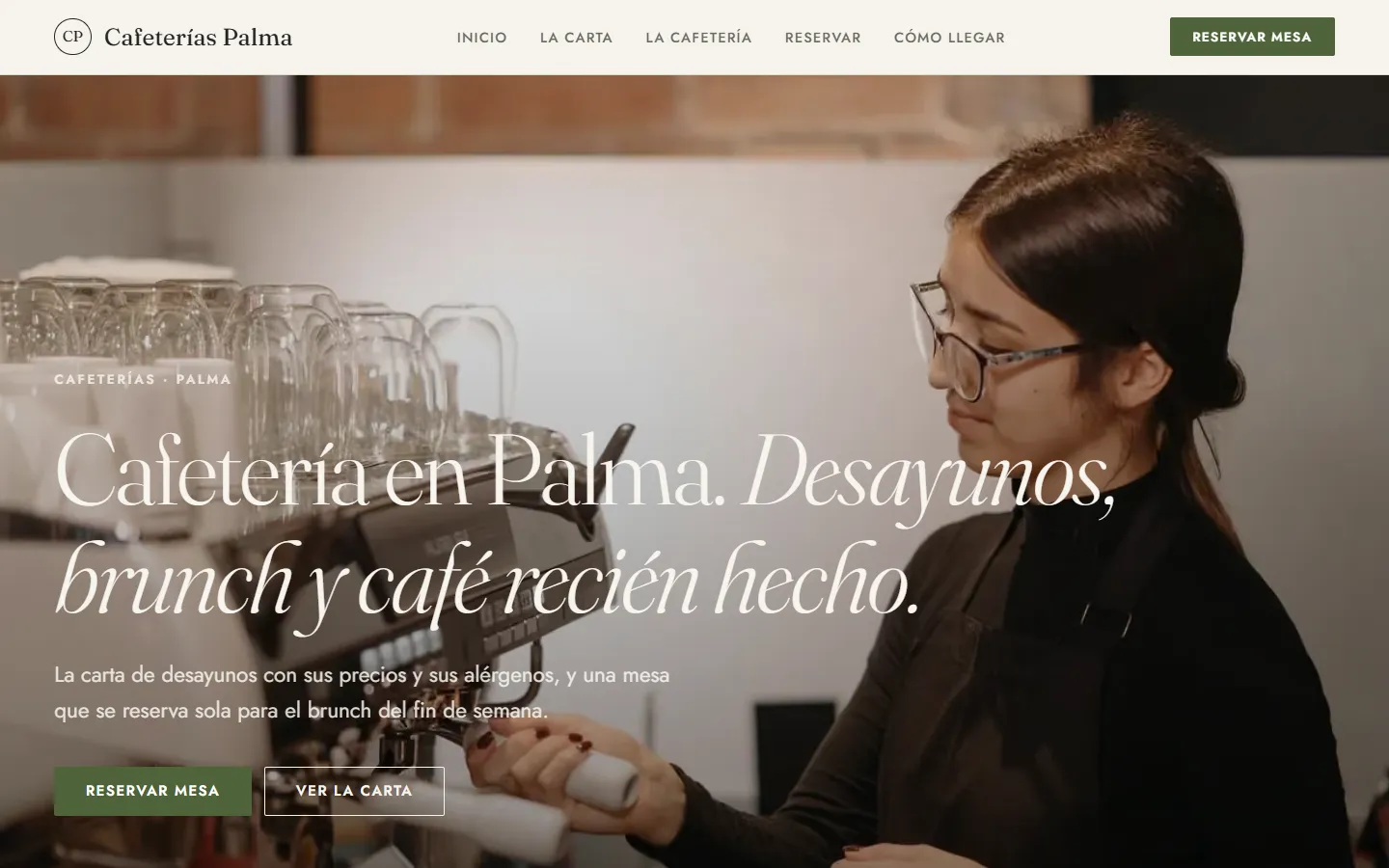
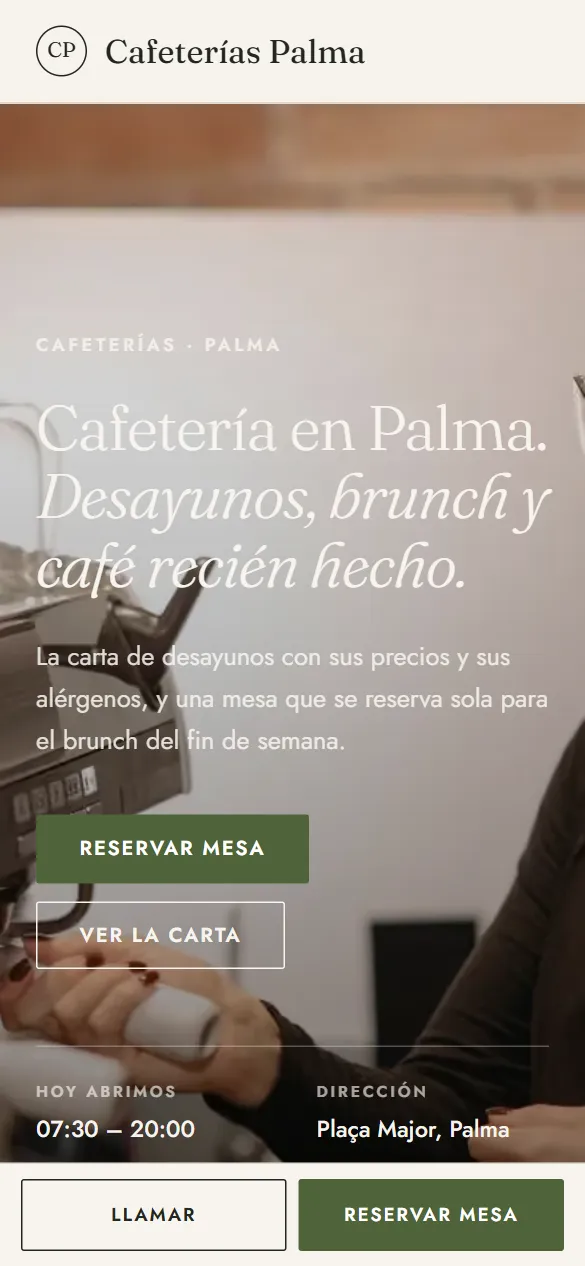
These are not drawings: it is the sample website for cafés, live right now, and you can switch design with one click without losing anything you have written.
Some look for it as an online booking calendar for cafés, some type “create a website with online bookings” and some search for “appointment software”: here it is the same thing.
It works just the same if your business is called café, speciality coffee shop, coffee shop, coffee bar or tea room: it is the same software and the same website.
With their name and their website, so you can check. Translated from Spanish.
“We wanted a clean website to show our cars and make it easy for people to contact us. Agendra solved it for us with no hassle and no big costs.”
 Miguel Ángel GómezMAG Import Cars
You pick cafés from the list, your website’s name and your phone number, and the website is created with what a business like yours offers (2 people, 3 or 4 people and group of 5 or more), which you replace with your own from the dashboard.
Thirty-six designs and your colour, with your café website alongside while you choose. When you finish, it is already live.
People go to a café on their way somewhere. The website is looked at in the street, on a phone and in a hurry: menu, opening hours and where you are, in that order.
Coffees, toast, pastries, juices and brunch, each with its price and allergens.
Marked on each item. It’s what decides whether someone with an intolerance comes in.
What time you open, until when breakfast is served and which days you close.
Where it comes from, who roasts it and how you make it, if that’s what sets you apart.
Which days a table can be booked and for how many.
Takeaway coffee, platters for offices or whole cakes, and how to order them.
Photos of the counter, the seating area and the terrace, and whether dogs are welcome.
This is the dashboard of your café website, with a full calendar.

Someone looking for a café is two streets away, phone in hand and with little patience. If the website is slow to load or the menu is a photo of the chalkboard, they keep walking.
Coffees, toast, pastries and juices, each with its price. Written one line per item, it reads on any phone and Google understands it; the photo of the chalkboard, it doesn’t.
The vegetarian, vegan and gluten-free marks go on each item, and plant milk in the description. It’s the first thing someone with an intolerance looks for.
What time you open, whether you close at midday and until when you serve breakfast. In a café, opening hours are half the information.
Address, map and whether there is a terrace. What people check on the way, not sitting at a computer.
During the week people walk in without booking. On Saturday at eleven, with a queue at the door, being able to book from a phone is what stops a family of five going somewhere else.
They choose how many they are and what time. You say how many tables of each size you have, and when they fill up that time stops being offered.
Holidays and the odd days you close are marked separately: that day isn’t offered, and your weekly hours stay as they were.
The day before, a reminder goes out by email and WhatsApp with a button to confirm, change or cancel, and a cancelled table is offered again.
A birthday tea or an office breakfast is booked separately, with a note so you know what to prepare.
There are neighbourhood cafés, speciality cafés, cafés with their own bakery or with books. What sets you apart is what makes someone cross the city for your coffee, and on the website it has to be seen before the logo.
The roaster, the origin and how you make it. Anyone looking for speciality coffee reads all of it.
If the pastries or cakes are your own, say so and show them: it’s the reason many people come back.
Whether you make coffee and sandwiches to take away, or whether people can bring their own cup. Someone passing in a hurry asks.
The counter, the morning light, the terrace. Your own photos, which say more than stock images.
A café has no time to maintain a website: the menu changes with the season and the hours with the summer. That’s why it has to be possible to change it from your phone, between one coffee and the next.
One line per item with its price. Changing the price of a coffee or adding the seasonal toast is writing one line.
Every booking reaches you as a notification on your phone and shows in the dashboard with how many people and what time. The ones people make at the counter go in the same place.
With your own domain, the menu and the opening hours are linked from your Google listing and from Instagram, and anyone looking for somewhere to have breakfast lands on your website and not on a directory.
In a café the phone rings at the worst moment: with a queue at the counter and the coffee machine going flat out. It’s almost always someone asking whether you’re open on Sunday, whether there’s anything gluten-free or whether there’s a table left for brunch.
Opening hours, menu with prices and allergens, and whether there is a terrace. What people ask by phone is on the website, and anyone searching “café with gluten-free options” finds it in writing.
On Saturday, anyone who wants to play it safe books from their phone, and the day before they get a reminder with a button to confirm, change or cancel. A cancelled table is offered again.
An office breakfast or a birthday tea is booked with a note of what they need, and for a large group you can ask for a deposit by Bizum (Spain’s instant bank-to-bank mobile payment) or bank transfer from the booking.
Nobody types “website” when they need cafés: they ask Google about prices, urgency and trust. Answer that, and the website does the selling.
Your customers choose 2 people or group of 5 or more, a day and a time, and the slot is blocked in your calendar automatically.
Your website live at cafeterias.agendra.digital, with your tables, your opening hours and your bookings, with no card, for 6 months or until your first customer.
Your café website with your own domain, on Google, with Agendra AI and marketing every week. Everything included and no commitment.
If you are torn between this, a custom-built café website or sticking to social media: what each option costs and what it gives you.
Yes. You write one line per item — name, price and description with its allergens — and group them into sections: coffees, toast, pastries, juices. Each item can carry the vegetarian, vegan or gluten-free marks, and the menu has its own page, /menu, which is the one people share.
For brunch and weekends, yes: that’s when there are queues and when a family or a group would rather play it safe. During the week almost everyone walks in without booking, and the website is just as useful to them for checking the menu, the opening hours and how to get there.
For booking tables, yes: each table size with how many you have, and the diary never gives out the same slot twice. Bookings made in person or by phone go in the same diary. It isn’t a till system: it doesn’t take payments at the counter or print receipts; it’s the website, the menu and the bookings.
With the reminder the day before, which lets them confirm or cancel with one tap, and by checking on each booking who has confirmed. For special dates or large groups, a deposit requested by Bizum or bank transfer from the booking. If you connect your Stripe account, you can also take card payment when they book.
Yes, if you serve lunch: it goes in its own section, with its price and what it includes, separate from the breakfast menu. If you don’t have one, you switch it off and it doesn’t show.
Not from this one as a shop: the café website has a menu and bookings, not a basket. For one-off orders it’s enough to put them on the menu and have people message you on WhatsApp. If you sell products with real online ordering — coffee beans, whole cakes, platters for offices — that’s a shop website, and both fit together on the Studio plan.
Instagram shows the atmosphere and the Google listing shows the address and the reviews, but neither has the full menu with prices or lets people book a table without messaging. Your website brings together what’s missing, is linked from both and is yours: it doesn’t depend on a social network changing how it shows your posts. The usual thing is to have all three.
Yes, in the gallery and next to the menu. Photos are resized automatically when you upload them, so the website still loads quickly on a phone even if you upload lots. Your own photos, in the café’s light, are better than catalogue images that look nothing like what you serve.
Yes. From the dashboard you switch on a WhatsApp button with your number, which appears on every page of your website, and the message reaches you already started, saying they’re writing from your website. You switch it off whenever you like.
The breakfast menu with its prices and allergens, your real opening hours and a table that can be booked for Saturday brunch. What people look at when they’re deciding where to get coffee before leaving home.
Free until your first customer or 6 months · No card · No commitment · Live in minutes